Tutorial: a guided walkthrough
This takes you from a folder of sequences to a masked, interrogated alignment, touching every
major feature along the way. It uses the bundled examples/coding_genes.fasta — eight
protein-coding sequences with conserved cores flanking a deliberately variable loop.
You only need CRAIC installed. Everything here works on the NumPy fallback, so you don't need the Rust core for the tutorial.
1. Launch and load
or open CRAIC with ./craic.command and use Open… (Ctrl/⌘+O). Because these sequences are
unaligned, CRAIC pads them and tells you so — that's expected. The status bar (bottom-left)
shows the backend (core: numpy or core: rust) and which engines it found.
2. Align as protein
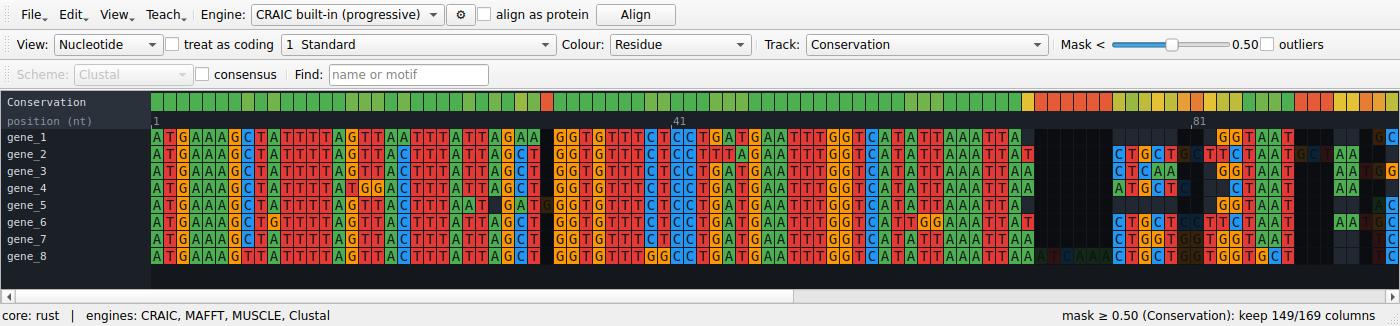
In the top toolbar, leave Engine on CRAIC built-in (progressive), tick align as protein, and press Align. The built-in aligner scores columns by the pair-HMM posterior that their residues are homologous and decodes for maximum expected accuracy (the same posterior the uncertainty tools use). For coding nucleotides, ticking align as protein translates → aligns the amino acids → back-translates, so gaps land on codon boundaries and the reading frame is never broken. CRAIC keeps the nucleotides in memory and switches to the protein view; flip the View dropdown back to nucleotide or codon whenever you like.
3. Switch levels
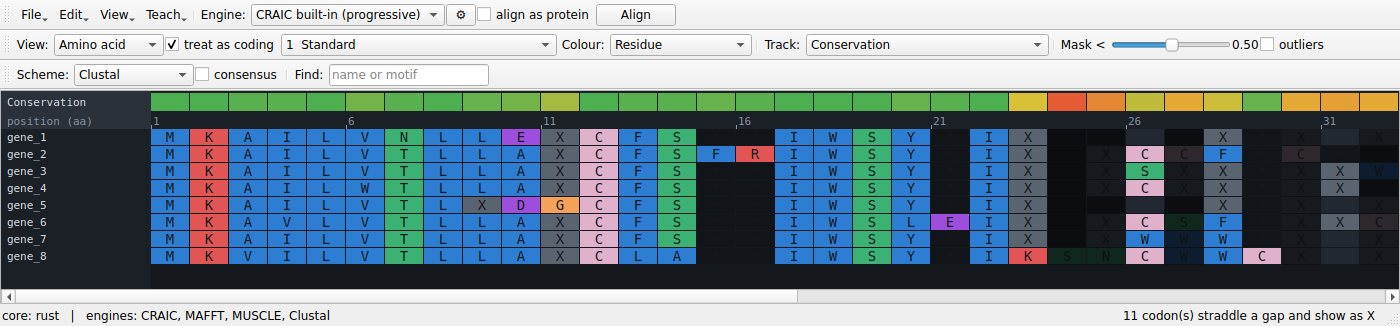
Use the View dropdown to flip between Nucleotide, Codon, and Amino acid. It's the same underlying alignment, re-projected instantly. The amino-acid view is the quickest way to see what's conserved.
4. Find the uncertain regions
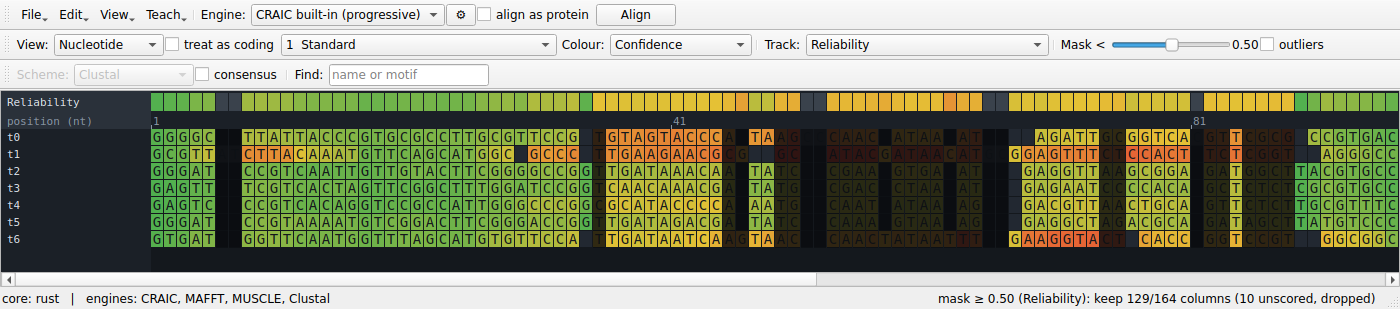
Choose Reliability from the Track dropdown — the first time, CRAIC computes the analysis in the background and caches it. It scores every column two independent ways — consistency (does the unaligned-sequence evidence support this column?) and perturbation (do its homologies survive re-alignment across an ensemble of bootstrapped guide trees?) — and lights up the track above the alignment. Green is confident; red/amber is not. The variable loop should glow red while the cores stay green.
Use the Track dropdown to switch the band between the combined Reliability, Consistency, and Perturbation signals.
5. Colour the alignment by confidence
Set the Colour dropdown to Confidence. Now the residues themselves are shaded by reliability, so uncertainty shows up exactly where you're reading.
6. Preview and export a mask
Drag the Mask < slider. The status bar reports how many columns survive the threshold (e.g. keep 132/156 columns), and columns that would be dropped dim out live — no commitment until you press Export masked…, which writes the trimmed alignment to FASTA.
The Track dropdown also offers standard model-free trimmers as alternatives to the model-based reliability: Gap fraction (MSA_trimmer-style) and Similarity (trimAl-style) are score bands the same slider trims, while trimAl gappyout, trimAl strict, and Gblocks pick their own columns automatically (the slider yields to their decision). Export masked… writes whichever mask is currently shown. Tick outliers to flag whole sequences that align poorly with the rest (EvalMSA / OD-seq-style) — they get a red marker in the name column.
7. See where the aligners disagree
Choose Aligner agreement from the Track dropdown. CRAIC re-aligns with every engine it can find — or, if you have no external aligners installed, with three gap regimes of the built-in one — and colours each column by how often the methods agree. Disagreement is the most honest signal of ambiguity, and it should track the same variable loop.
8. Select the hard region
Click-drag across the variable loop in the alignment. The selection is highlighted in blue and is now the input to both ambiguity panels. The Ambiguity tools panel is hidden by default — open it from the View menu (Ambiguity tools panel) to dock it on the right.
9. Re-align just that block (sandbox)
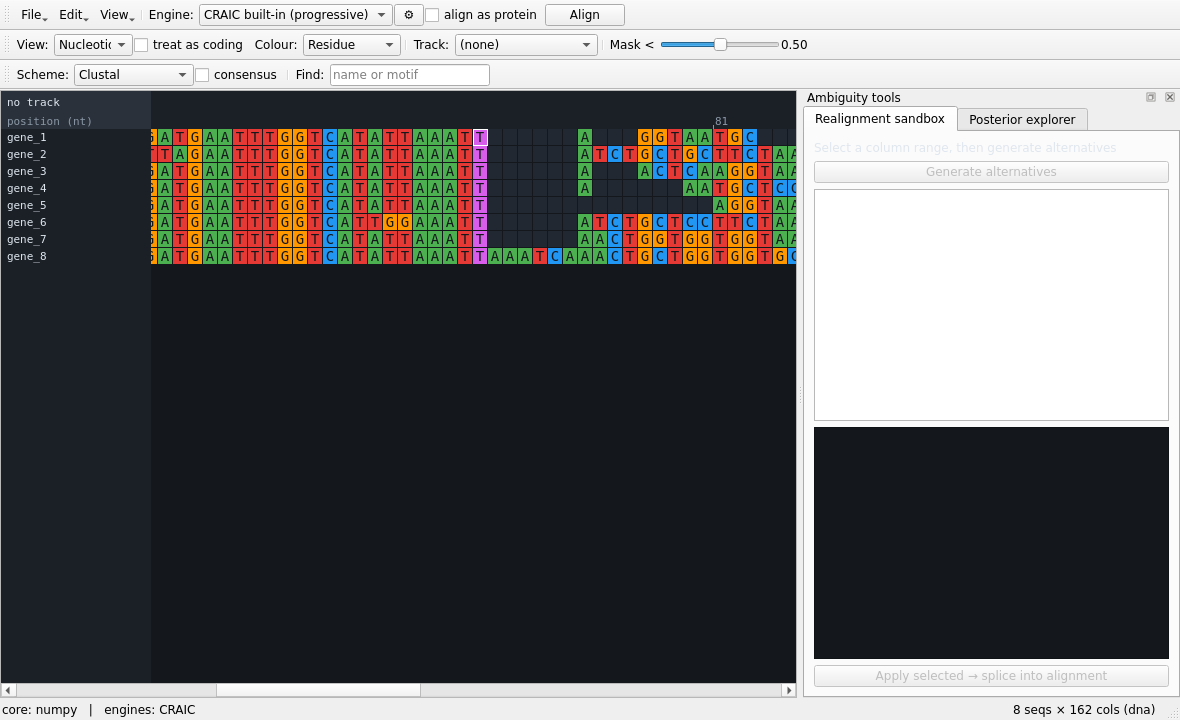
Open the Realignment sandbox tab and press Generate alternatives. CRAIC re-aligns only the selected columns under several engines and gap costs, scoring each by sum-of-pairs identity. Click an alternative to preview it, then Apply selected → splice into alignment to drop your choice back in without touching the rest.
10. Read the posterior
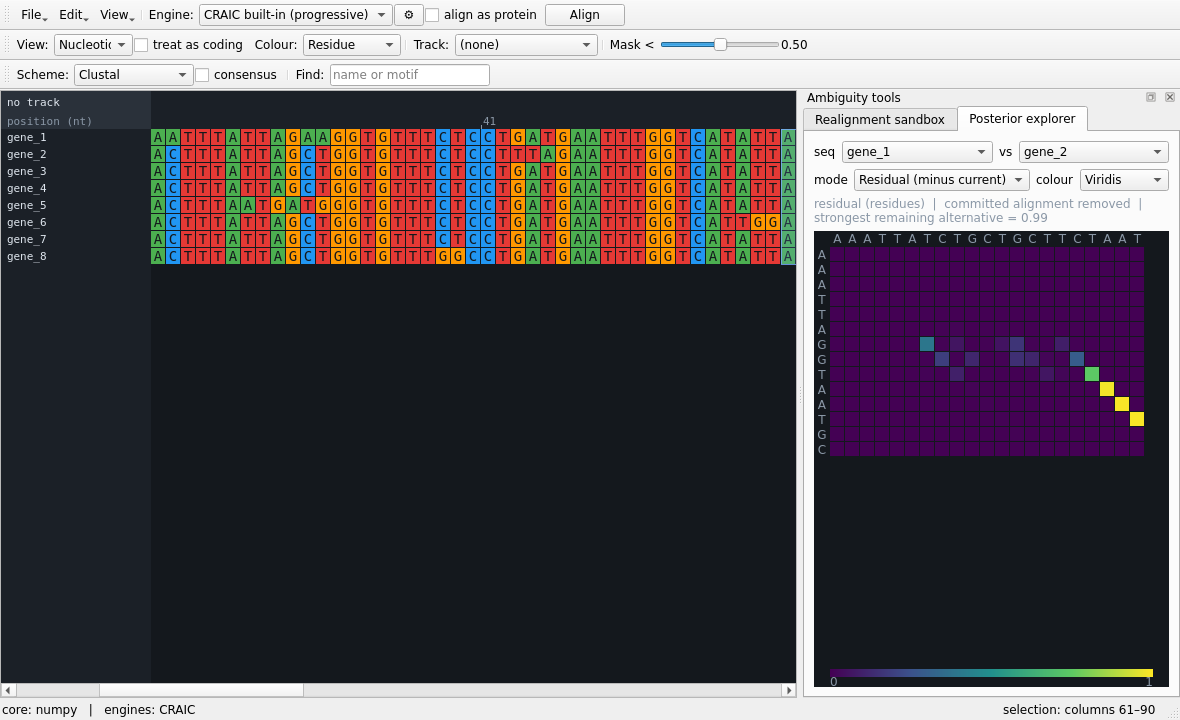
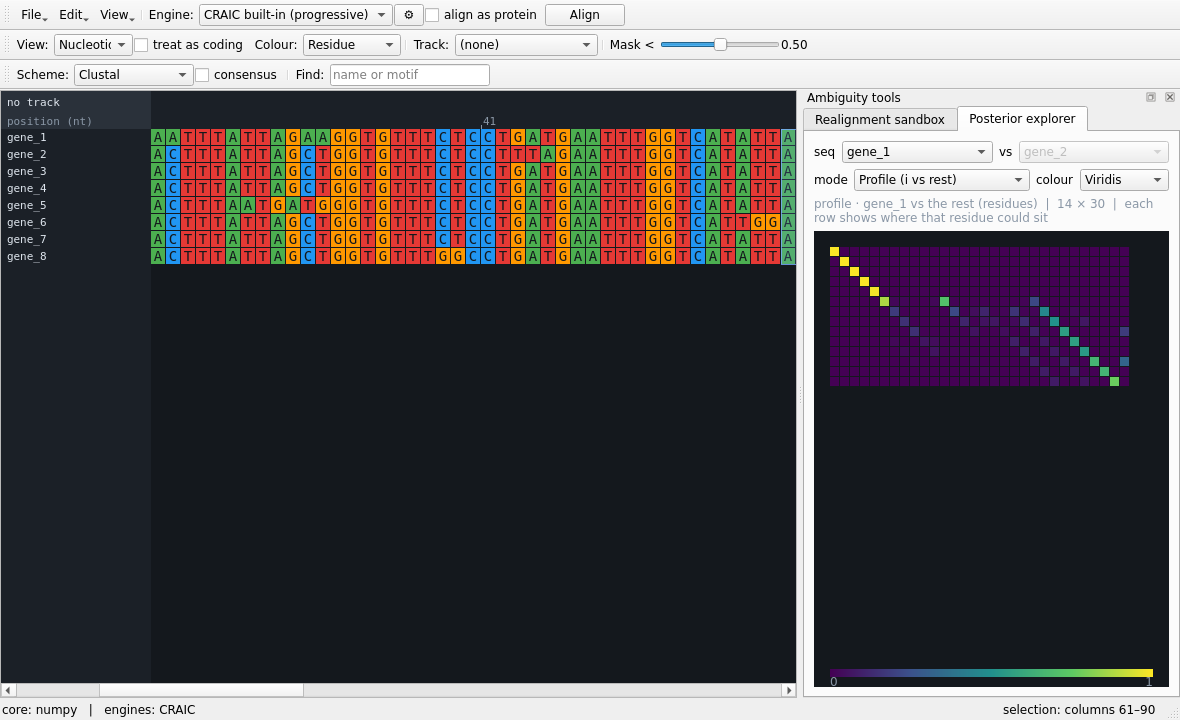
Open the Posterior explorer tab and pick two sequences. The default Posterior mode shows the pair-HMM homology matrix for your selected region — a bright diagonal where the alignment is confident, off-diagonal smears where it isn't. Then switch mode:
- Residual (minus current) subtracts the committed alignment, so the boring diagonal vanishes and only the genuine alternatives remain.
- Profile (i vs rest) shows one sequence against the whole alignment rather than an arbitrary pair.
11. Probe a single residue
Single-click any residue in the variable loop. CRAIC paints its homology cloud — every column it could plausibly align to, brightness ∝ probability. A tight cloud means a solid homology; a spread-out one means it could slide.
12. Save
Save… (Ctrl/⌘+S) writes the current alignment as FASTA or PHYLIP.
Where to next
- The Interface reference documents every control in detail.
- Concepts & methods explains what the scores actually mean.
- Engines & file formats covers external aligners and the formats CRAIC reads and writes.